
Presets
Save coordinated loadouts for hunting, bosses and other activities.
Understand the preset layers
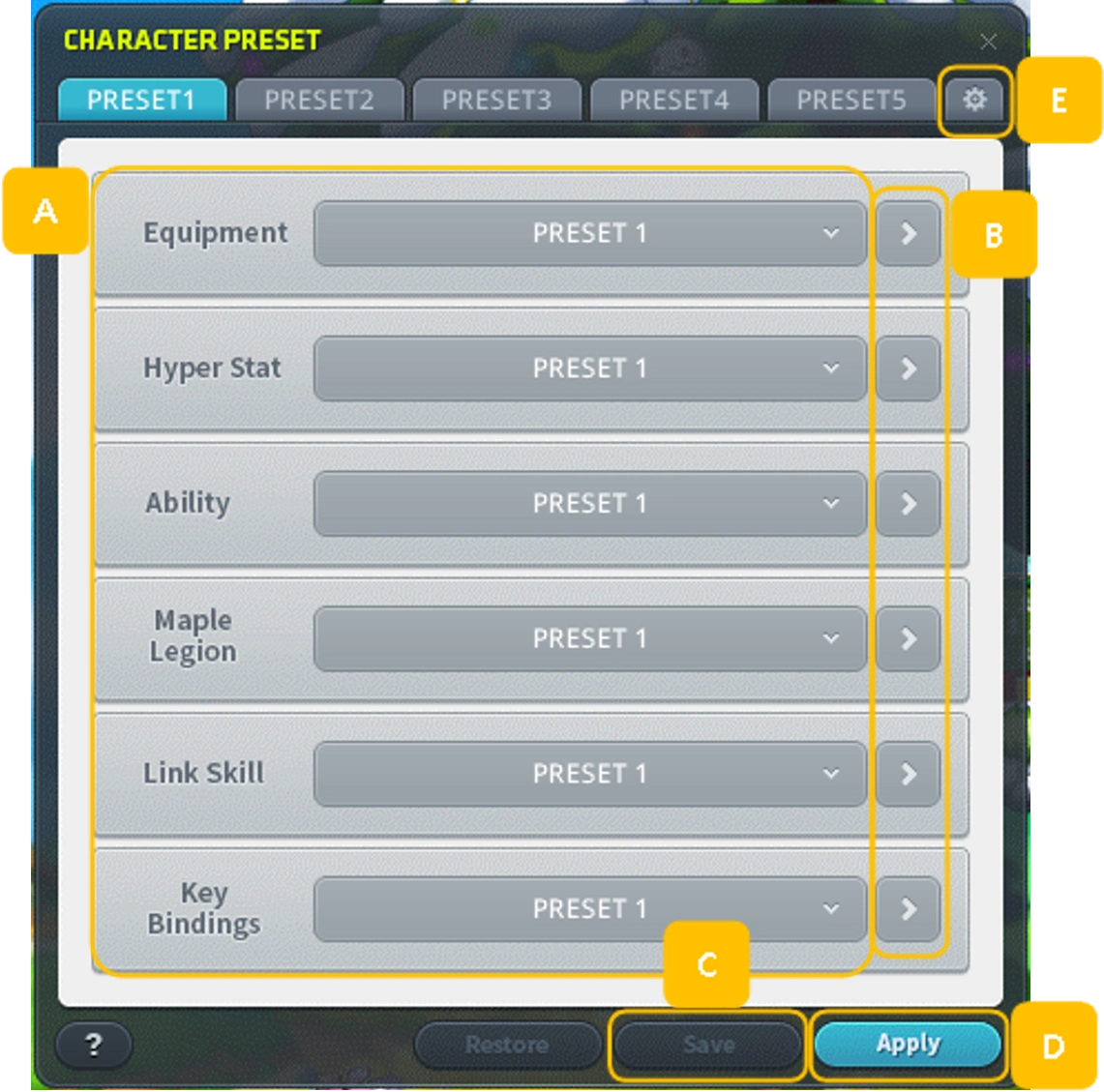
A Character Preset combines selections for Equipment, Hyper Stat, Ability, Maple Legion, Link Skill and Key Bindings. Each component can also be managed separately.
- Character and Maple Legion offer five slots each.
- Equipment, Hyper Stat, Ability, Link Skill and Key Bindings offer three each.
Save and apply a loadout
- In Character Preset, select the desired slot for each component.
- Save the combination and optionally name it using up to eight letters or numbers.
- Select a Character Preset and apply it. A Change Preset hotkey can expose numbered choices.


Check the active equipment
Equipment Preset 1 supplies shared base gear until another preset overrides a slot. Only equipment in the active preset contributes set bonuses, and Character Info reflects the active setup.
