
Star Force
Enhance minted equipment with Power Crystals while checking failure risks and live costs.
Start an enhancement
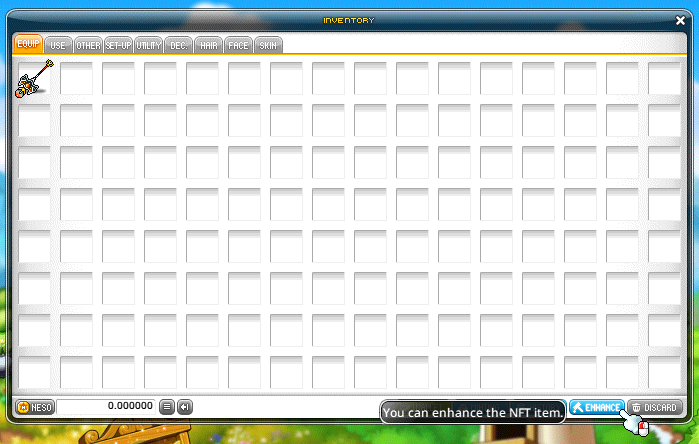
- Open Enhance from Character Inventory or Equipment Enhancement under NFT Assets.
- Register a minted item and select Star Force.
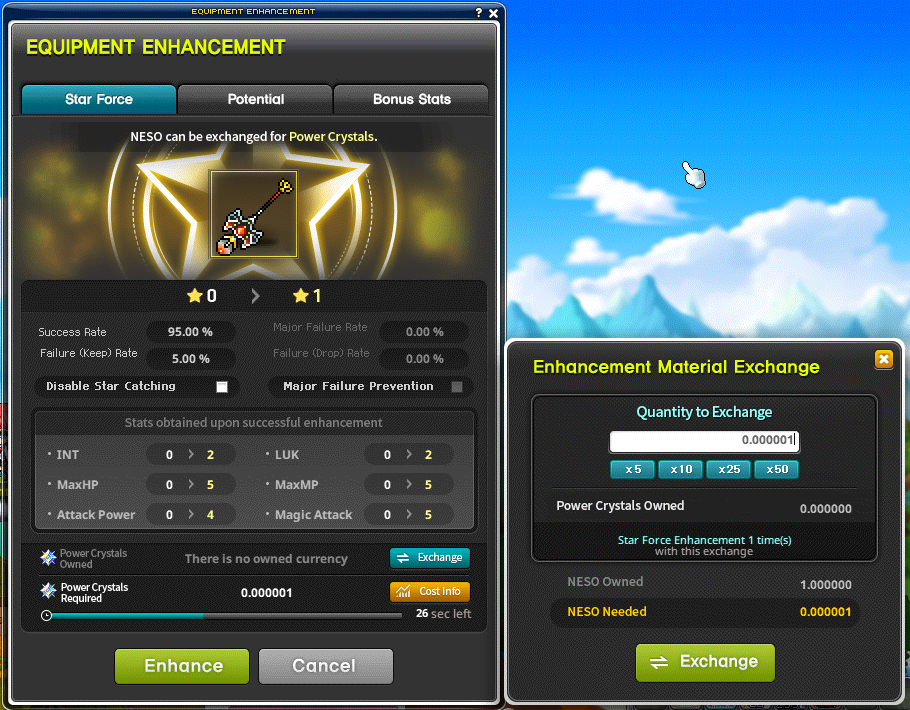
- Review the current success rate, resulting stats and Power Crystal cost.
- Choose any available protection option, then enhance.

Check the current price
Star Force consumes Power Crystals. Required amounts depend on the item and star level, with demand-based prices refreshing every minute. NESO exchanges into Power Crystals at 1:1; NESOLET must be minted first.
Understand each attempt
- Success adds one star. A normal failure can leave the level unchanged or remove one star.
- Star Catch can improve the success chance when completed successfully.
- Major Failure becomes possible from 12 stars and returns the item to 10 stars.
- Major Failure Prevention is available at 12–17 stars for an increased cost.
- The tooltip's empty stars indicate the item's enhancement capacity.

