Quests
Accept objectives, follow navigation and collect completed quest rewards.
Start a quest
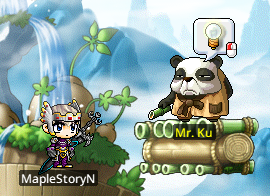
- Look for an NPC with a flashing lightbulb, then click the NPC or press Space nearby.
- Read the objective and accept it.
- Check the left-side lightbulb notifier for major quests and the star notifier for event quests.

Track the objective
Press Q to see available, ongoing and completed quests. Select a quest to read its requirements and rewards. Navigation provides directions where supported; Quest Helper keeps the objective visible while playing.

Collect the reward
- After meeting the requirements, return to the relevant NPC or use Finish Quest when available.
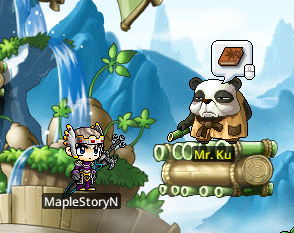
- An NPC with a completed quest displays a book icon.
- On the minimap, ! marks a quest that can be accepted and ? marks one that can be turned in.
- Forfeited quests can be accepted again later.